Quote & proposal app · Full source code
Turn a customer request into a ready-to-send quote.
Paste your customer's request. QuoteFlow AI suggests the services, prices and wording, calculates discount and tax as you type, and gives you a clean PDF quote. You get the full source code to brand and run as your own.
- One-time payment
- Instant download via Gumroad
- No API key needed to start
The problem
Quotes take too long, and they're easy to get wrong
If you quote in a Word doc or a spreadsheet, this probably sounds familiar.
Retyping the same services
Every new client means copying old quotes and editing line items by hand.
Math done by hand
Subtotals, discounts and tax are recalculated manually, and one slip changes the total.
Inconsistent documents
Each quote looks a little different, which doesn't help a customer trust the number.
No idea what's pending
Which quotes were sent? Which were accepted? It's all scattered across files and emails.
The solution
One place to draft, price, send and track quotes
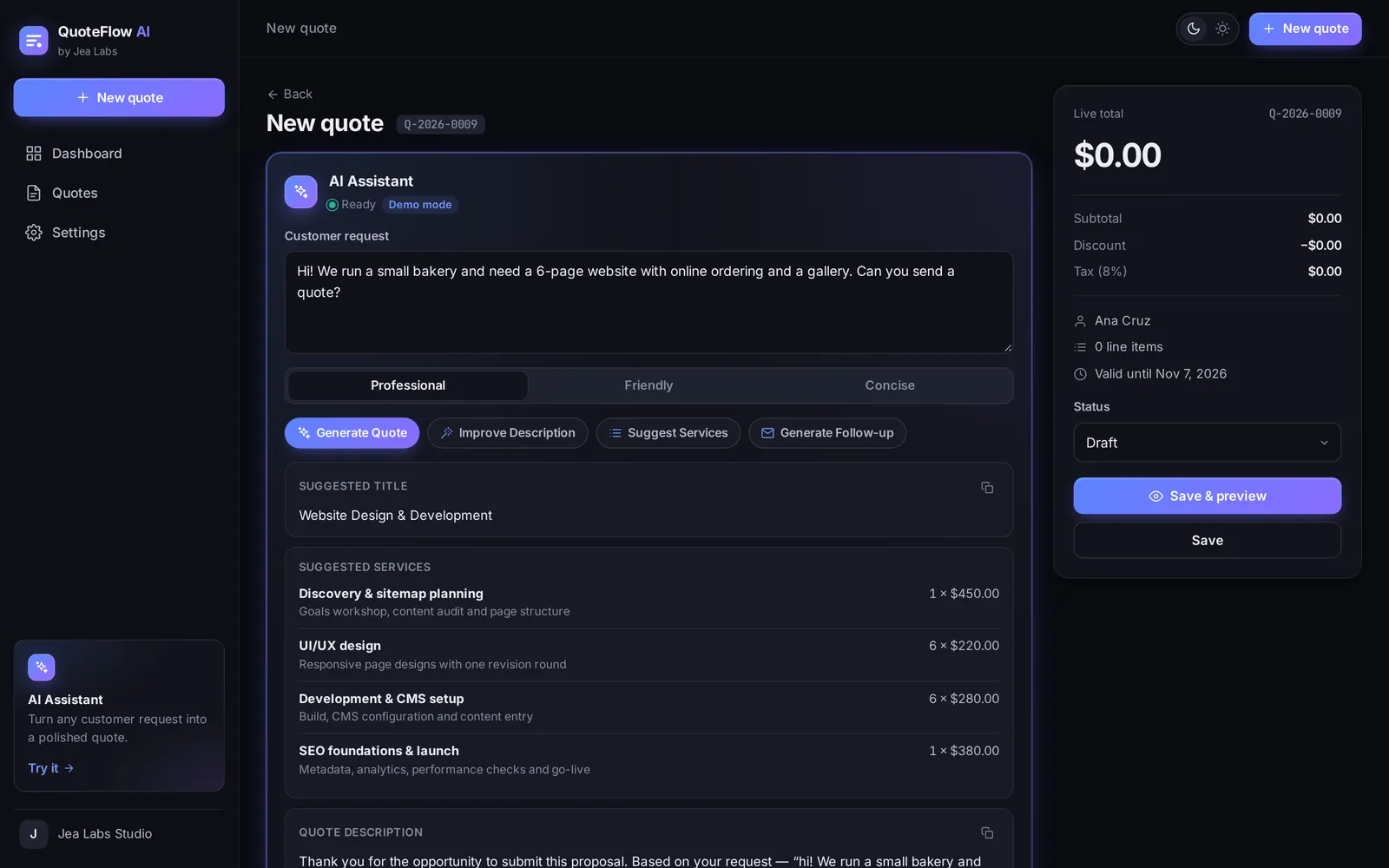
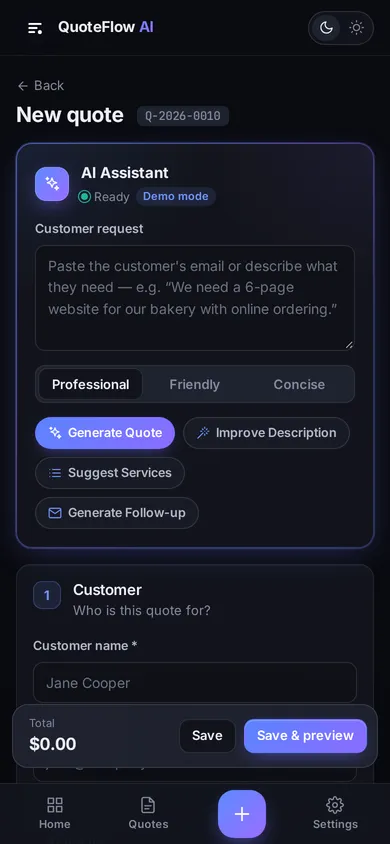
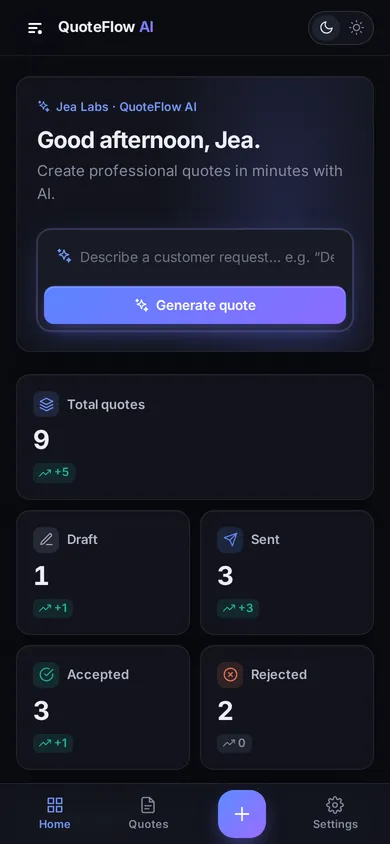
Draft a quote from the customer's own words
Paste an email or describe the job. The AI Assistant suggests a title, services, quantities and prices, then writes the description, a cover message and a follow-up email.
- Professional, Friendly or Concise tone
- Generate, improve, regenerate, copy, or apply to the quote in one click
- Built-in starter services for 9 kinds of work, from websites to cleaning and repairs
The built-in assistant matches keywords to a template catalog, so it works offline with no API key. Connect your own AI model later with one setting (see the FAQ).
Totals you don't have to double-check
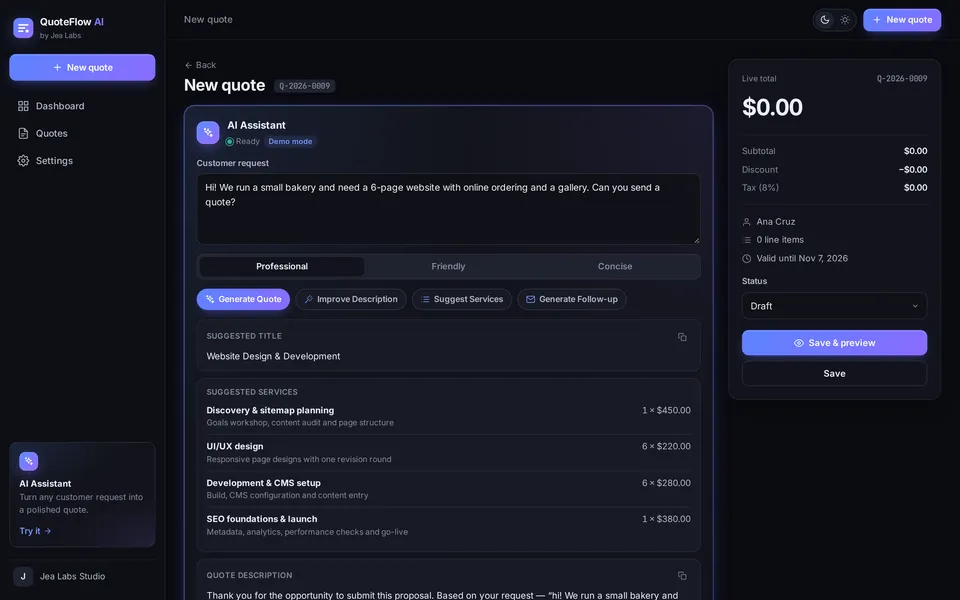
A step-by-step builder takes you from customer to details, services, pricing and notes. The subtotal, discount and tax update as you type.
- Discounts as a percentage or a fixed amount
- Quote expiry dates and required-field checks
- 9 currencies, including USD, EUR, GBP and PHP
- Quote math covered by automated tests
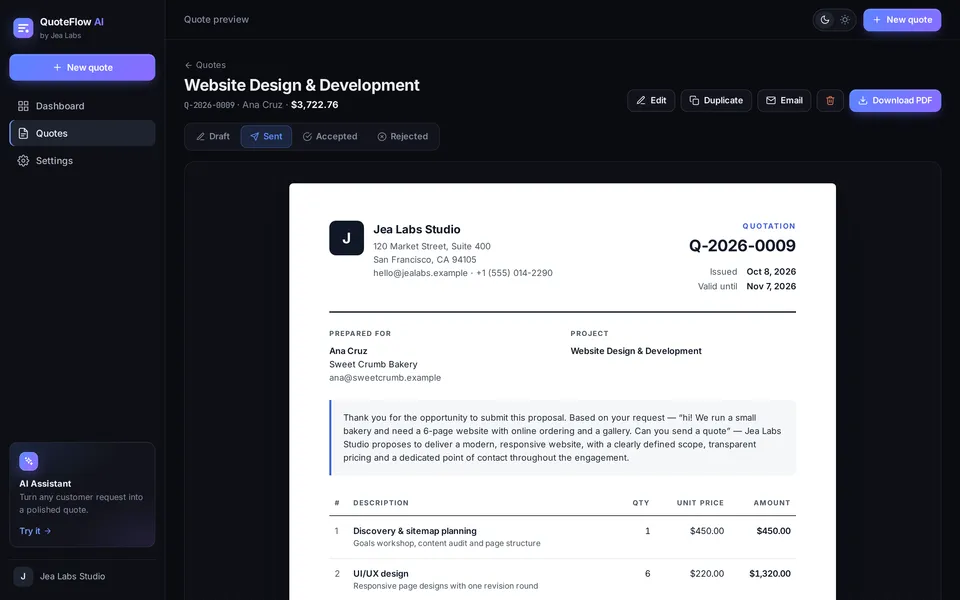
A quote document that looks professional
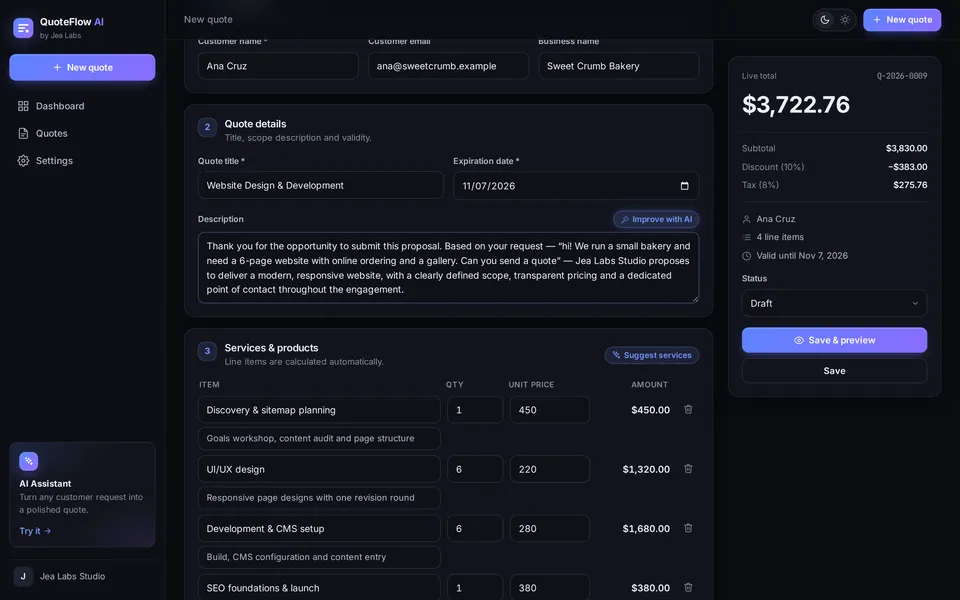
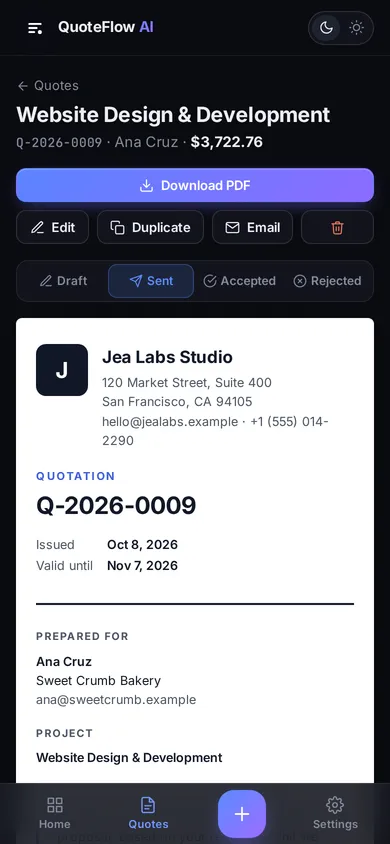
Every quote uses the same clean layout with your logo, contact details, itemized pricing, notes, and an acceptance section with signature lines.
- Print-optimized A4 layout, saved as a PDF from any browser
- Email button opens your mail app with the message ready
A sample PDF quotation is included in the download.
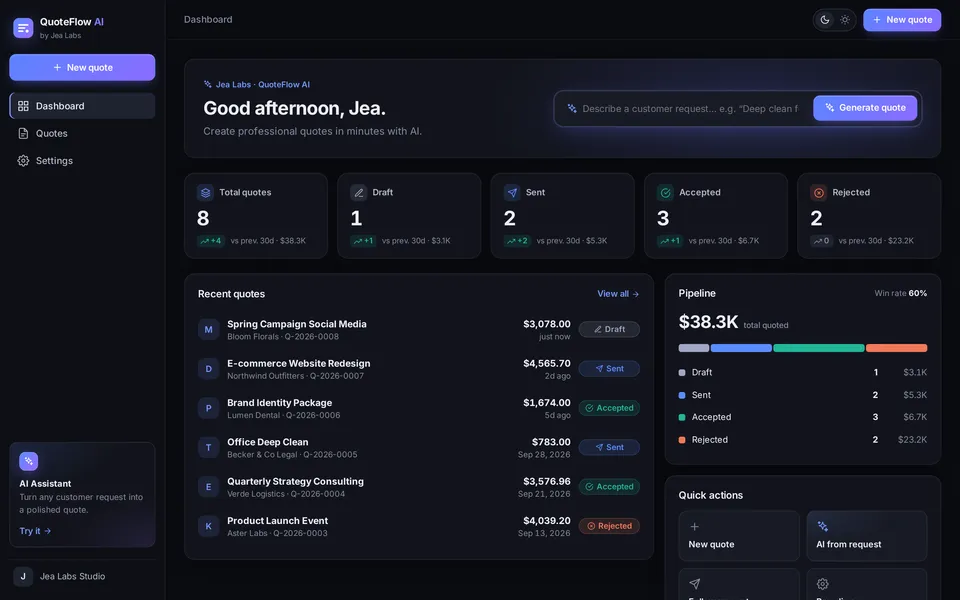
See every quote's status at a glance
The dashboard shows drafts, sent, accepted and rejected quotes, compared with the previous 30 days, plus your pipeline value and win rate.
- Search, filter by status and change status in one click
- Duplicate a past quote to start the next one
- Business details, logo, tax and defaults set in Settings, no code needed
Product demo
Try the real app before you buy
The live demo is the same app you download. It opens with sample quotes, and anything you type stays in your own browser.
How it works
From request to quote in three steps
-
Paste the request
Drop the customer's message into the AI Assistant and click Generate Quote to get suggested services, prices and wording.
-
Review and adjust
Apply the suggestions, edit any line item, and set the discount, tax and expiry date. The total updates as you go.
-
Send and track
Download the PDF, email it from your mail app, and mark it sent, accepted or rejected on the dashboard.
Who it's for
Built for people who quote services
Freelancers & agencies
Web design, software, branding, marketing, and photo or video work. The built-in catalog has starter services for each.
Service businesses
Cleaning, repairs and installation, events and catering, and consulting, with starter services for each as well.
Developers
A clean React + TypeScript base to customize for your own business or a client, or to extend into your own product.
You'll need basic comfort with Node.js and a terminal to set it up. The Buyer Guide walks you through it.
What's included
Everything you need to launch your own
One ZIP file, delivered by Gumroad right after you pay.
- The complete app, as source codeReact 19 + TypeScript + Vite. No backend or database to set up.
- Buyer GuideRun it locally, deploy to Netlify, Vercel or any static host, rebrand it file by file, and connect a real AI model.
- Sample PDF quotationSee exactly what your customers will receive.
- License fileClear terms for your own business and client work.
- Free v1.x updatesDownload new versions from your Gumroad library.
Pricing
One price. Yours to keep.
QuoteFlow AI
$59 one-time
Or ₱3,700. Gumroad's checkout lets you pay in US dollars (US$59.02) or Philippine pesos.
- Full source code and Buyer Guide
- Sample PDF quotation
- Use it for your own business or a client project
- Free v1.x updates
Secure checkout on Gumroad. All sales are final, so please try the demo first.
Made by Jea Labs
An independent software studio
Jea Labs builds business apps and AI tools and sells them as source code. Every screenshot on this page is from the real app you download. The businesses and customers in the demo are made-up sample data.
FAQ
Questions, answered
What exactly am I buying?
The complete source code of the QuoteFlow AI web app, plus a Buyer Guide, a sample PDF quotation and a license file. You run and host it yourself. It is not a hosted subscription service.
Who is it for?
Freelancers, agencies and service businesses that send quotes, and developers who want a ready-made quoting app to customize for themselves or a client.
Do I need to know how to code?
To set it up, you need Node.js 20 or newer and basic comfort with a terminal. The Buyer Guide covers each step. Business name, logo, contact details, currency, tax and quote validity are changed in Settings without code. Deeper changes need some React knowledge.
Is the AI a real language model?
Not out of the box. The built-in assistant matches keywords in the request to a catalog of services and uses tone templates, so it runs offline with no API key or running costs. To use a model like OpenAI's or Claude, set VITE_AI_ENDPOINT to your own backend. The Buyer Guide documents the exact request and response format. Keep API keys on your server, never in the browser.
Where is my data stored?
In each user's browser (localStorage). There are no user accounts and nothing syncs between devices. If you need that, the Buyer Guide shows where to connect your own backend.
Does it send emails or collect payments?
No. The Email button opens your own mail app with the message ready, and you attach the PDF. There's no invoicing, payment collection or e-signature.
How do I pay, and what does it cost?
$59 (US$59.02 at checkout, or ₱3,700), paid once through Gumroad. You can choose US dollars or pesos at checkout. There's no subscription. Gumroad emails you a receipt with the download link, and the files stay in your Gumroad library.
Can I use it for client work?
Yes, for your own business or a client project. You can't resell or share the source code itself. The full terms are in LICENSE.txt in the download.
Can I get a refund?
Because this is downloadable source code, all sales are final. Please try the live demo first, and reply to your Gumroad receipt if you run into any trouble setting it up.
Send your next quote with QuoteFlow AI
Full source code, Buyer Guide and sample PDF. One-time payment.